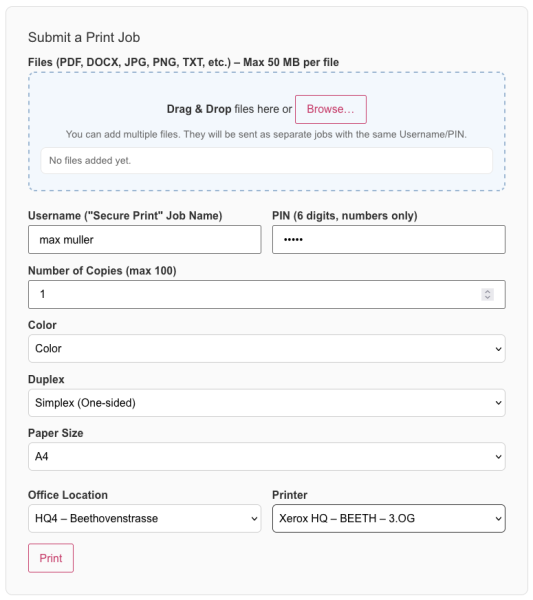
1. Select a file to print
2. Enter username of choice and PIN (used later for secure release on the printer)
4. Choose print settings (e.g., color, duplex, paper size)
5. Select HeadsQuarter building and preferred printer
6. Click “Print” to send the Job to the printer